A Swollen Laptop Battery Is a Service Question, Not a DIY Fix
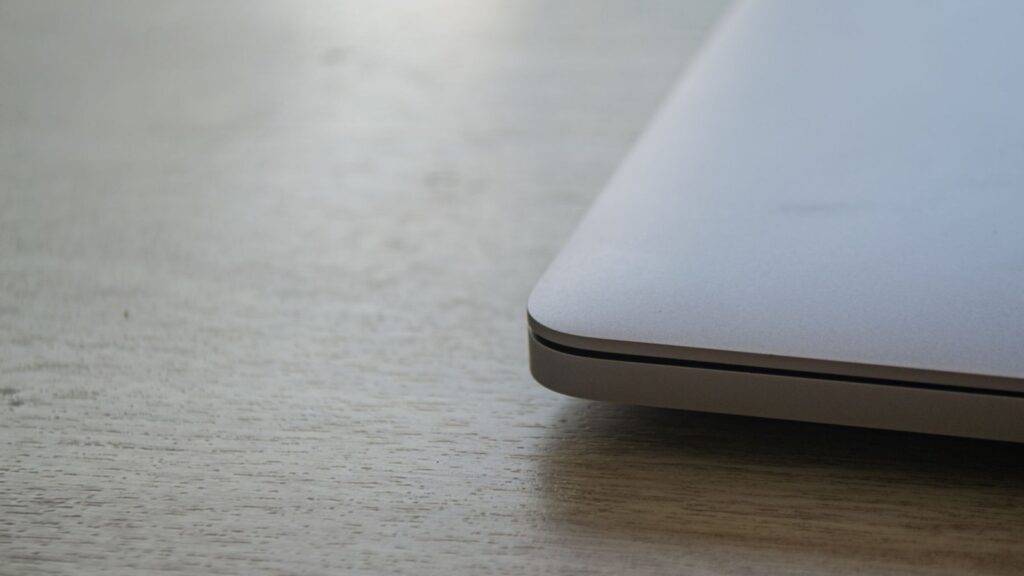
Quick answer: If your laptop’s case is bulging or lifting and you suspect a swollen battery, stop using the laptop, unplug the charger and contact the manufacturer or an authorized service provider. Do not press the panel back down, pry at anything or follow a repair video. If you see smoke, feel unusual heat or smell something odd, treat it as an emergency: move away and call local emergency services.
Key takeaways
- A swollen lithium-ion battery counts as a damaged battery. Dell says it should be replaced and disposed of properly, not used.
- Swelling in lithium batteries can come before a fire, according to the EPA, and some battery defects do not show on the outside at all.
- Pressing, prying, bending or puncturing a swollen battery is exactly what the manufacturers warn against.
- Apple and Dell both point people to the manufacturer or an authorized service provider for built-in or swollen batteries.
- Disposal and shipping have their own rules. A damaged battery should not go in household trash or recycling, and it should not travel as an ordinary parcel.
What swelling means, and what it can look like
Dell’s support page explains that swelling is a known risk with lithium-ion polymer cells, and that a battery’s age, its number of charge cycles and exposure to high heat can all contribute. Batteries wear with use: Apple, for example, says its MacBook batteries are designed to keep up to 80 percent of their original capacity after 1,000 complete charge cycles. That is a design target, not a prediction for your laptop.
On a laptop, the thing people usually notice first is that the case no longer sits flat, the lid does not close properly or a panel near the keyboard has lifted. A change in the case alone cannot tell you the cause, so this guide is about handling the situation safely, not diagnosing your laptop from a distance.
The EPA’s tip sheet on damaged and defective household batteries treats bulging as a sign of damage and lists other warning signs too:
- unusual odors or heat
- smoke
- leaking or corrosion
- discoloration
- unusual noises
The EPA also notes that some defects are invisible, so a quick visual check cannot rule a problem out. If any of those signs show up, do not wait for a convenient moment.
What to do first
Nothing here involves opening the laptop.
- Stop using it. Dell’s guidance is to stop using the laptop and unplug the AC adapter. That means no “one last meeting” and no charging it overnight while you wait for a convenient time.
- Do not press or flatten the bulge. Pushing a raised panel down is not a fix and can put force on the battery.
- Contact the manufacturer. Use the support channel on the company’s own website and ask what to do about power, storage and service for your model. Dell’s page tells owners to contact its product support about replacement under a warranty or service contract.
- Tell your IT team if it is a work laptop. They may have their own process for replacement, collection and protecting stored information, so do not move company data to a personal service just to keep working.
- Ask about a loaner or alternative device if you cannot go without a laptop while it is being serviced.
What not to do
This list comes from Dell’s safety guidance.
- Do not crush, drop, puncture, bend or press on the battery, and do not use tools to pry at it.
- If a swollen battery is stuck inside the device, do not try to force it out.
- Do not expose it to high heat or take battery packs or cells apart.
- Do not put a damaged battery back into the laptop, and do not swap in a non-original battery or one from another computer. Dell warns this raises the risk of fire or explosion.
- Do not treat a repair video as proof that your laptop is safe to open. The machine in the video may be different and its battery may not be swollen.
We are not giving removal steps here on purpose. Dell says authorized service technicians can replace the battery, Apple says built-in lithium-ion polymer batteries should be serviced by Apple or an authorized provider, and the EPA notes that not all batteries can be removed or serviced by the user.
Who should handle the fix?
Costs and eligibility vary by maker, model and country, so ask before you agree to anything.
| Route | What the sources say | Questions to ask |
|---|---|---|
| Manufacturer support or authorized service | Dell points swollen-battery cases to its product support, with authorized technicians doing the replacement. Apple says to use Apple or an authorized provider for service. | Is the battery under warranty or a service plan? What does the repair include? |
| Warranty claim | Apple says its one-year warranty covers a defective battery, and paid out-of-warranty service is available. Prices and terms vary. | What coverage applies to the battery specifically, and how old is the device? |
| Employer IT | Not covered by our sources, but company laptops usually have an internal process. | Who collects it, and how is stored data protected? |
| Doing it yourself or buying parts first | Dell warns against prying, pressing or forcing a stuck battery, and the EPA notes that not all batteries can be removed or serviced by the user. | Ask for a service assessment before buying any parts. |
We did not find an official source comparing independent repair shops. If you consider one, ask whether the maker authorizes it and how it handles a swollen battery.
Check for recalls
Before you call, it helps to know whether your model has a recall. The U.S. Consumer Product Safety Commission runs a searchable recall database where you can filter by product category and hazard. As of November 2026 the page showed listings dated as recently as November 5, 2026. Each listing describes the hazard, the remedy and the company’s contact options. Your manufacturer’s own site may also list battery recalls for your model.
Transport and disposal
A swollen battery is not just a repair problem. It is also a handling problem when you move it.
- No household trash or recycling bin. The EPA says lithium-ion batteries and the devices that contain them should not go in household garbage or recycling bins, because crushing or damage during collection can start fires.
- Not an ordinary parcel. The EPA says damaged or defective lithium batteries are more likely to catch fire in transit, generally cannot go by air and must meet U.S. Department of Transportation packaging rules. Dell says swollen batteries go back in an approved shipping container that it provides, or to an approved recycling center.
- Do not plan to carry it on a trip. Based on the EPA’s air-transport restriction, ask the manufacturer and your airline before taking a damaged battery anywhere.
- Keep it away from heat and flammable materials. The EPA’s tip sheet for collection sites stresses this for damaged batteries. If you have to hold the laptop for a few days, ask the manufacturer for holding instructions for your model.
The EPA lists certified electronics recyclers, retailer takeback programs and local household hazardous waste programs as places that take lithium-ion batteries. Confirm that a site accepts a damaged battery before you go, because it is not a given.
What to have ready when you call
All of this can be gathered without touching the battery area.
- The laptop’s model name and service or serial number, from the label or settings.
- Roughly how old the laptop is.
- What changed (case lifting, trackpad or keyboard shifting) and about when you noticed.
- Whether you have a warranty, service plan or employer support.
- Any other warning signs, such as heat, odor or noises.
- A question about temporary holding, shipping and disposal for your model.
Frequently asked questions
Can I keep using the laptop while plugged in?
No. Dell’s guidance is to stop using the laptop and unplug the AC adapter, and to replace and properly dispose of a swollen battery rather than use it.
Is a swollen battery always dangerous?
We cannot say for any individual laptop. The EPA says swelling in lithium batteries can come before a fire, and some defects are invisible, so the safe approach is to treat it as a damaged battery until the manufacturer says otherwise.
I am handy. Can I swap the battery myself?
This guide does not give removal steps. Dell says authorized technicians can do the replacement, and Apple points built-in batteries to authorized service.
How do I get rid of it?
Not in household trash or recycling. Ask the manufacturer first; Dell describes an approved shipping container or an approved recycling center. Confirm that any drop-off site accepts it.
Before you decide
Pause, ask the manufacturer for instructions for your exact model, and let a qualified service provider assess the laptop before you spend money on parts. An extra hour of laptop time is not worth gambling on a damaged battery.
Sources
- Handling swollen Lithium-ion batteries | Dell US, Dell Inc. (a Dell support manual page that sits under a specific XPS laptop model)
- Swollen Battery Information and Guidance | Dell US, Dell Inc. (older article, last modified August 2026, no longer maintained and pointing to the page above)
- Batteries – Service and Recycling – Apple, Apple Inc.
- Used Lithium-Ion Batteries | US EPA, U.S. Environmental Protection Agency (last updated March 20, 2026)
- Battery Collection Tip Sheet: End-of-Life Household Small Format Damaged and Defective Batteries | US EPA, U.S. Environmental Protection Agency (last updated July 22, 2026)
- Recalls & Product Safety Warnings | CPSC.gov, U.S. Consumer Product Safety Commission
Last updated: November 2026. This article is general information, not safety advice.