A Missed-Delivery Text? Check Your Package Without Tapping the Link
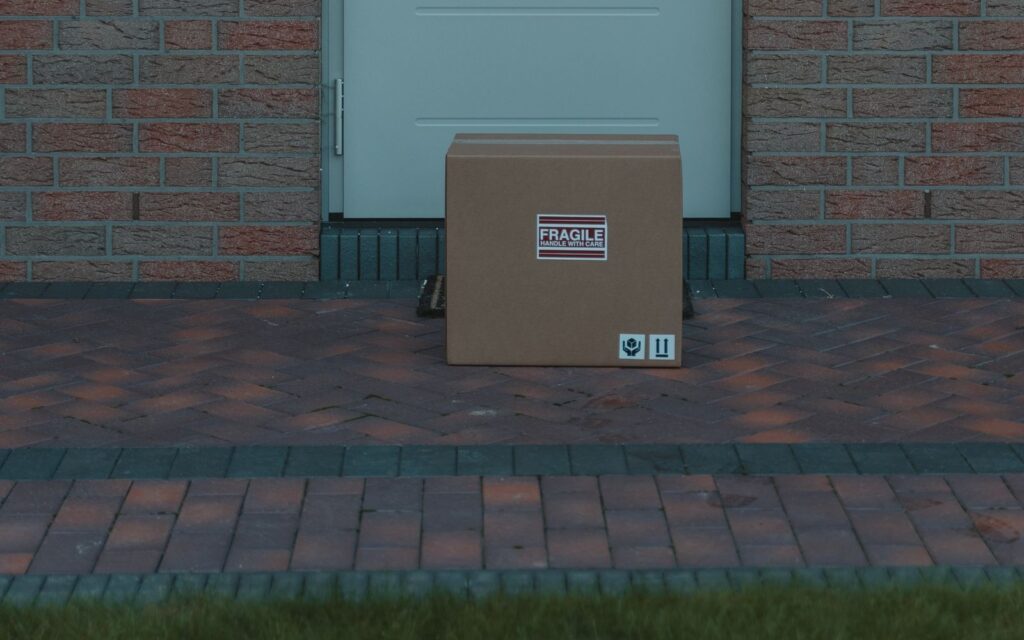
Quick answer: If a text says your package is stuck, held or “undeliverable” and asks you to tap a link, do not tap it. Check the order where you actually bought it, or type the carrier’s address into your browser yourself. Real carriers do not ask for a fee or your personal details by text to release a parcel. Then forward the message to 7726, delete it and move on.
Key takeaways
- Fake package-delivery alerts were the most commonly reported type of text scam in the FTC’s 2024 data, and consumers reported losing $470 million to scams that started by text.
- USPS says it sends tracking texts only after you ask for tracking on a specific package, and those messages do not contain a link.
- FedEx says it never asks for payment or personal information to release a package.
- You can check any real delivery without touching the message: use your order confirmation, the retailer’s account page or the carrier’s own site, typed in by hand.
- If you already tapped, the fastest fix is a short list of steps in the next section, starting with a call to your bank or card company if you typed in any payment details.
Why this scam works so well
Most of us are waiting on something. A pair of sneakers, a printer cartridge, a gift. So a text that says “we missed you” or “your parcel has an address problem” does not feel random. It feels like one more small errand, and the scammer is counting on you handling it between meetings with one thumb.
The FTC’s April 2025 data release put numbers on it. Reports of text scams actually fell in number, yet reported losses to scams that began with a text reached $470 million in 2024, five times the 2020 figure. Fake package-delivery problems topped the list of most-reported text scams. Close behind were bogus job offers (including “task” scams), fake fraud alerts about a purchase or bank problem, fake unpaid-toll messages with a payment link, and “wrong number” texts that can grow into romance or investment scams.
The pattern is simple. The text creates a small problem, gives you a link as the fix and adds a little time pressure. The link leads to a page built to look like a carrier or a bank, and the page collects whatever you type in. According to the Postal Inspection Service, scammers are after things like usernames and passwords, Social Security numbers, dates of birth, card numbers and PINs. A delivery “fee” of a couple of dollars is often just the bait to get your card details.
What real carriers do and do not do
You do not need to memorise every scam script. It is easier to know the few things the real companies say they do, and treat everything else as suspect.
| Carrier | What it says about its own messages | What that means for you |
|---|---|---|
| USPS | Tracking texts or emails go out only after you request tracking with a tracking number, and they do not contain a link. USPS tracking is free. | An unrequested text with a link about a USPS package is a red flag. A fee request is another. |
| FedEx | It never asks for payment or personal information to release a package, and it does not ask for account credentials or identity details by unsolicited text. International recipients may get a secure link to pay duties and taxes, and FedEx points them to its import tool to verify amounts. | Any “pay to release” text is suspect. If you are expecting an international parcel, confirm the amount through FedEx’s own site, not through the message. |
| FedEx (warning) | Messages pushing you to a web address that ends in “.shop” are phishing. | Odd or unfamiliar web endings are a reason to stop. |
| Any company | The FTC says legitimate companies do not ask for account information by text. | If you did not expect the text, treat it as unverified. |
I tried to read UPS’s fraud page for this article, but its server refused my request, so I am not quoting UPS policy here. If a message claims to be from UPS, use the same approach: ignore the link and check on UPS’s own site or app.
How to check a package without tapping the link
Say you really are expecting a box and the text could be real. Here is the calm way through.
- Do not tap, reply or call the number in the text.
- Open your order confirmation in your email or in the store’s app. A real order has a tracking number and a status.
- Go to the carrier’s site yourself. Type the address into your browser, or use the carrier’s official app, and paste in the tracking number from your order confirmation.
- Compare. If the order shows as in transit or delivered, the text is noise. If you have no order at all, the text is a scam by definition.
- Still unsure? The FTC says to contact the company using a phone number or website you know is real, not one from the text.
This takes about a minute, and it works on every version of this scam, whatever carrier name or wording the scammer picks.
Spot the warning signs fast
Use this as a quick checklist the next time a “delivery” text lands.
- You did not order anything, or you cannot say what the package is.
- The text came from an unfamiliar number or an email-style address instead of a carrier short code you signed up for.
- It contains a link you did not ask for, especially an unfamiliar web address.
- It asks you to pay a small fee, confirm an address, or log in “to reschedule.”
- It asks for card details, a password, a Social Security number or a date of birth.
- It pushes you to act right now.
- There is no tracking number you can match to a real order.
One of these might be an honest mistake. Two or three together should end the conversation.
If you already tapped the link
It happens to careful people. Here is what to do, in order of urgency.
You tapped but typed nothing
Close the page. The Postal Inspection Service still suggests telling your financial institution if you interacted with the link, even without submitting anything. A quick call costs you nothing. Then delete the text.
You entered card details
Call your bank or card issuer right away using the number on the back of your card. Ask them to block or replace the card and to review recent charges. FedEx’s own guidance for anyone who interacted with a scam message and lost money is also to contact your bank immediately, and to consider reporting to the FBI’s Internet Crime Complaint Center or your state attorney general.
You entered a password
Change that password on the real site, and anywhere else you reuse it. Turn on a second sign-in step where it is offered. These are general good habits rather than steps from the pages I read, so treat them as common sense and check with the service in question.
You entered a Social Security number or date of birth
This is a bigger problem than a stolen card number, because those details do not change. Report it using the steps below, including the FTC at ReportFraud.ftc.gov, and tell your bank. I did not review identity-theft recovery guidance for this article, so ask the FTC or your financial institution about the next steps.
Whichever case applies, keep the evidence: a screenshot showing the sender’s number and the date, and the text of the message.
How to report it and cut down the junk
Reporting takes less than a minute and helps your carrier block similar messages. The FTC lists three ways:
- Copy the message and forward it to 7726 (it spells SPAM on a phone keypad).
- Use the “report junk” or spam option in your messaging app. Both Apple’s Messages and Google Messages have one.
- File a report with the FTC at ReportFraud.ftc.gov.
If the message pretends to be from USPS, the Postal Inspection Service accepts reports by email. Its smishing page tells you to paste the body of the message into a new email, add your name, attach a screenshot showing the sender’s number and the date, and say whether you clicked, shared information or lost money. The address is on the USPIS page itself. For scams that do not involve USPS, the same page points to 7726, the FTC and the FBI’s IC3. FedEx also accepts forwarded suspicious messages at the address on its fraud page.
To stop more of them landing in the first place, the FTC points to three kinds of filters: the spam and unknown-sender filter built into your phone, blocking tools from your wireless provider, and call-blocking apps. The Postal Inspection Service adds that you can call your carrier, usually by dialing 611, and ask to block texts sent as email or multimedia messages. It also suggests watching your phone bill. None of these filters is perfect, so keep the habit of not tapping.
Frequently asked questions
Can a scammer hurt me just because I opened the text?
The sources I read describe the harm as coming from the link: a spoofed login page or malware. The FTC warns that tapping can lead to both. Reading the text is not the risk, tapping and typing is. Still, do not reply.
What if the text knows my name or my real address?
That does not make it real. Scammers can assemble details from other places. The test is not how much the text knows, it is whether you can confirm a real order on a site you opened yourself.
Will a real carrier ever text me?
Yes, if you asked it to. USPS texts you tracking updates after you request tracking, without a link. FedEx may message international recipients about duties and taxes. In both cases, verify through the carrier’s own site rather than trusting the message.
I am expecting a package and a text says there is a customs fee. Is it real?
It might be, which is why this version works. FedEx says international recipients may get a secure link to pay duties and taxes, and recommends checking the amount with its import tool. Do not pay through the text link. Look up the shipment and the amount from the carrier’s own site first.
Before you decide
Make one rule and keep it: you never solve a delivery problem from inside a text you did not ask for. Open the store or the carrier yourself, paste in your own tracking number and see what is true. Keep a screenshot, forward the text to 7726, and delete it. If you are a few days from a holiday sale or a birthday and expecting more parcels than usual, it is worth telling the rest of the household the same rule, because a text meant for one phone often reaches the whole family.
Sources
- Smishing: Package Tracking Text Scams, United States Postal Inspection Service (last updated May 19, 2025)
- New FTC Data Show Top Text Message Scams of 2024; Overall Losses to Text Scams Hit $470 Million, Federal Trade Commission (April 16, 2025)
- How to Recognize and Report Spam Text Messages, Federal Trade Commission, Consumer Advice (July 2022)
- How to Recognize and Help Prevent Fraud and Scams, FedEx
Last updated: November 2026. This article is general information, not IT security or legal advice.